Anker Charging Dock For Meta Quest 2
123/3955
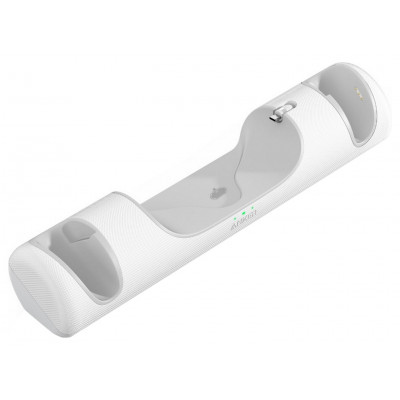
Product details
- Brand: Anker
- Catalogue number: 123/3955
- Manufacturer's number: Y1010221-20
Anker Support
Email me this page
Enter your email address to have this page emailed to you *
Useful links
Online supportFAQs
A flashing orange light indicates a charging error. This can be due to several reasons:
- Improper Placement: Ensure the headset and controllers are correctly seated on the dock, making full contact with the charging pins.
- Protective Cases: Remove any protective cases from the headset or controllers before placing them on the dock.
- Foreign Objects: Check for any debris or foreign objects obstructing the charging contacts on the dock or devices.
- Battery Issues: Ensure the rechargeable batteries are correctly installed in the controllers and are not damaged.
- Power Supply: Verify that the included USB-C wall charger is used. Using a charger with an output of less than 15W will only charge the headset, potentially causing issues with controller charging.
Ensure the custom Anker battery covers are securely installed and making proper contact with the charging pins on the dock. Verify the rechargeable batteries are correctly inserted. If the issue is with only one controller, try swapping its battery and cover with the other controller to isolate the problem.
Confirm that the magnetic USB-C headset connector is firmly inserted into the headset's charging port and that the headset is properly aligned on the dock's central cradle.
How-to videos
-
How to Fix Controller Stick Drift
Returns policy
If you need advice or support for your product, please in the first instance contact the support provider using the number on this support page.
If you still need to return your product then please visit our most up to date returns policy here.